
If you’ve been following my creative journey for any length of time, you probably know that one of my primary creative tools, if not the number-one tool in my arsenal, is the open-source vector graphics app known as Inkscape.
Inkscape has been at the heart of my creative endeavours for many years now, so it was quite a pleasant surprise to be selected from among a pool of candidates for the role of Bug Administrator for the 2026 Inkscape Bug Accelerator Program, which aims to bring Inkscape 1.5, the next major version, into solid shape for release.
When I started this program in May, I was given a simple mandate: “Make sure that Inkscape doesn’t suck for our users.” Sitting here on the other side of the first round of the Bug Accelerator Program, I’m happy to say that 1.5 is looking strongly aligned with that very goal.
Just to be clear, I’m not writing this on behalf of the project or as an official spokesperson. The purpose of this post is simply to offer my personal insights into what’s happening behind the scenes, why certain decisions have been made, what we accomplished during the first round, and where I see Inkscape going from here.
Stick around to the end for more of my recent Inkscape work and links to follow the development of 1.5 more closely.
What exactly is the Bug Accelerator Program?
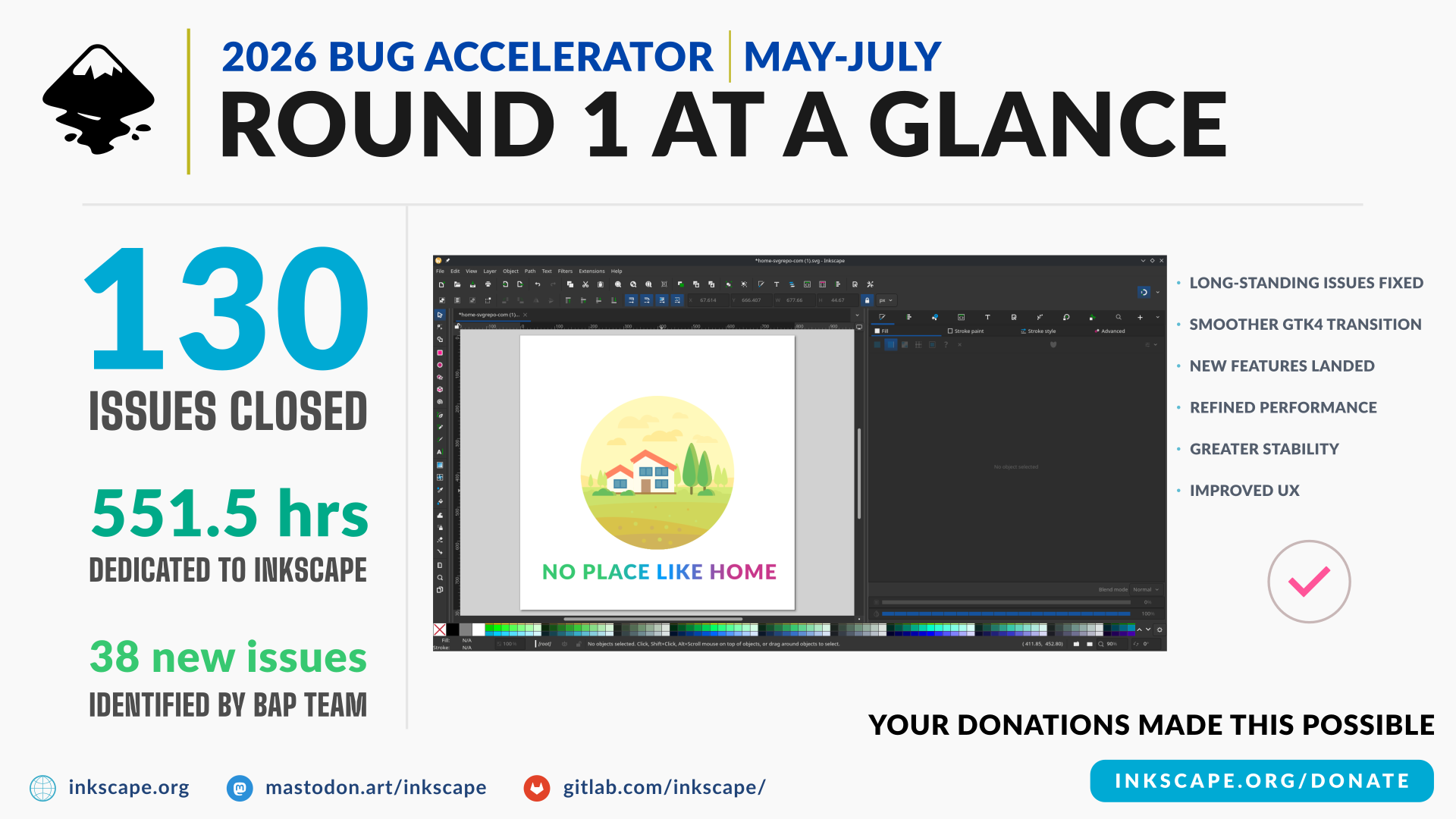
The Inkscape Bug Accelerator Program, or BAP, is an initiative by the project to help speed along the process of stabilizing the next release, which is the current focus of development.
Within the program, a team of developers and, in recent rounds, a Bug Administrator such as myself are contracted for a specified period to identify, triage, and ultimately resolve major issues with the version under development.
My role specifically is a mixture of manager, tester, and organizer. I’ve been wearing several different hats to keep the work on track, help identify or confirm new and old issues in Inkscape 1.5 and earlier versions, test proposed fixes, help the developers prioritize their work, and maintain the milestone list. In other words, I act as something of a “guardian at the gates” who helps decide what stays and what goes from that list.
This isn’t release management in the broadest sense. It’s closer to managing a focused development sprint within a much larger effort. From the outside, you might think a role like this all boils down to “numbers go brrrr,” but the reality is anything but that simple.
Why the burndown chart doesn’t tell the whole story
I recently broke this down in more detail on Mastodon after the milestone burndown chart prompted some understandable questions about how much progress we were making. At a glance, the chart can give a misleading impression because the line doesn’t fall neatly towards zero when new issues keep entering the milestone list. But that growth is a crucial part of the work, not evidence that the work isn’t happening.
Our first run of the BAP began in the middle of May, so we technically started with less time than a full three-month program would normally provide. Even so, we pushed hard to make up the difference and keep the work moving as though we’d been at this for the entire month.
What I’m particularly proud of is that we managed to reach and remain above 60% completion on the milestone, ending the round at roughly 64%. That’s quite an achievement when you consider that the list itself grew tremendously even as we worked. Keep in mind, Inkscape is a large project with contributors and users from around the world. Keeping every report organized, tested and current is a herculean task. Inevitably, issues filed in the inbox or main tracker can fall behind and go unnoticed, sometimes for years at a stretch.
The method to my madness
With Inkscape 1.5 as our target, I searched the relevant parts of the inbox and tracker and found what can only be described as a mighty whole lot of older reports that needed attention. Many were no longer reproducible because the underlying problems had already been resolved during development. On the other hand, many were still present after more than a year and needed to be brought into the active workload.
That isn’t an indictment of Inkscape as a project, its volunteer developers or previous BAP contractors. It’s simply the nature of software development, especially in a project as vast and mature as this. Things get lost to time, interest and attention, and sometimes the person who reported an issue is no longer even around to say whether it still affects them.
A healthy milestone therefore doesn’t just shrink: it becomes more accurate, as old reports get retested and closed where appropriate, persistent problems are rediscovered and properly prioritized, and new regressions are documented before they can reach users. Sometimes one solid report also has to be split into several distinct issues so that separate edge cases can be understood and tracked properly.
The number of open issues can rise even while the release itself is becoming more stable. That’s why a burndown chart can be useful as a bird’s-eye view, but it can’t (and isn’t meant to) tell the whole story on its own.
1.5 (or 2.0?): More than an ordinary update
The scale of Inkscape 1.5 is hard to put into words. This release isn’t merely a large-enough collection of new features and fixes to justify a new release. It’s all of:
- A full port from GTK 3 to GTK 4 (without libadwaita),
- A new rendering engine (awaiting a merge request),
- The Unified Font Browser becoming default,
- Document Tabs being introduced,
- Many long-standing issues finally being addressed,
- New and changed dependencies across multiple target platforms.
GTK 4 unlocks several possibilities, but it also exacts its own costs. This transition is definitely being felt in the amount and complexity of the work the developers have had to undertake. Using libadwaita would’ve brought its own benefits and challenges, as evidenced by Pinta’s hurdles as of version 3.0. That said, even without it, moving to GTK 4 is no small undertaking. Just this port alone has required us to account for changing dependencies, deprecation of widgets Inkscape has relied on for years, and breakages in both adding new features and preserving or improving existing ones.
It’s also important to emphasize that the contracted developers aren’t the only people participating in these efforts. Inkscape is predominantly built by volunteers who freely give their time, effort, and expertise to the project. A big part of the experience I’ve had so far is seeing their hard work and dedication up close; pushing through engineering challenges and burnout from working tirelessly on Inkscape, especially when the scope of the work never truly stops changing.
First-round results: What we managed to accomplish
Starting from the middle of May, and continuing till the very tip of July, we managed to fix a whopping 130 issues. Yet, that number doesn’t capture the full extent of the work, such as reports investigated, issues tested and closed after confirming they’d already been resolved, problems and solutions identified for future efforts, or areas for improvement that we documented along the way. Those additional outcomes are harder to reduce to a single clean figure, but they’re an important part of a release healthier.
Overall, I’d say we’ve managed to bring Inkscape 1.5 deliciously close to alpha quality. What we have now serves as a solid pre-alpha that I’ve been using for daily production work. Since we started, Inkscape is far more difficult to reliably crash, though some edge cases remain. We’ll be aiming to tackle these in the second round, which is running from August till the end of October, which is when the project plans to release an official alpha build.
Some improvements I’m especially happy to see
Before I close out, I’d like to highlight a few of the fixes and changes that I’m personally excited for, not just as Bug Administrator, but as an Inkscape user of roughly 20 years.
Completed tabbed document UI/UX
Document tabs were added earlier in the Inkscape 1.5 development cycle, before the 2026 BAP cycle began. Early on, I realized that document tabs couldn’t be scrolled, even if we fixed the separate issue of general tabs (for dialogs) no longer scrolling.
After I reported and documented the problem for the team, Michael Terry (@mikix) got to work on landing the necessary UI components to make this work. He also added a handy preview on mouseover, so you won’t have to guess which document is which even when filenames clash.
Grid controls that make sense
Another fix I’m especially happy to see concerns how Inkscape handles grids. Seán de Búrca (@leftmoscat) was responsible for fixing this one, and I’ve got to say, I appreciate the patience it took to finally get this one figured out and ensure it works just right.
Inkscape doesn’t handle grids quite like most other graphics apps. Its grids are actual elements within the SVG document. Multiple grids can be added, removed, made visible or hidden, and enabled or disabled for interaction. Getting the controls to behave correctly meant working around one set of expectations while accounting for another, but ultimately, we figured it out.
What this work means to me
Working on the Bug Accelerator Program has been both an opportunity to give back to a project I’ve loved and benefited from for many years, and an opportunity to learn a tremendous deal from the community and about Inkscape itself.
It’s also given me the chance to blend my skills and experience across disparate disciplines (community manager, multimedia designer, technical writer and communicator, and long-time Inkscape user). I’ve been able to work closely with the people and processes behind Inkscape, and expand my understanding and appreciation of what it takes to keep a project of this nature moving forward.
What comes next
There’s still plenty work left to be done. After all, the pursuit of software perfection never truly finishes, especially when the definition of perfection changes by the day. A meaningful definition of “good,” however, remains attainable, and we’re well on our way there.
During this second round, we’ve already managed to polish the Unified Font Browser to release quality. We’ve since moved on to making way for the arrival of Martin Owens’ long-awaited rendering engine, which promises CMYK (and additional color model) support, and improved handling of several bitmap formats.
We’re determined to carry this work through with the same focus we brought to the first round. Mike is going the first weeks of this round alone, seeing as Seán has had to step away for other pursuits. I greatly appreciate his time with Inkscape and the BAP, and all the care and effort he put into the work. Mike and I will carry the torch onward, and hopefully we’ll be joined by another developer (Tav) in short order.
How you can help
None of this work happens in isolation, and we encourage you to get on board and help us out by reporting any issues you find, answering follow-up questions, retesting fixes, and providing actionable steps for us to reproduce them where appropriate.
You can download the latest Inkscape development build, try it with your real workflow and report clear, reproducible issues. Just remember that this is still pre-release software, so be careful if you dare choose to use it in a production capacity, and back up your work.
If you’re a C++ developer, particularly with graphics experience, Inkscape could also use your help in pushing 1.5 forward. I recently put out a broader call for contributors, and you can head directly to the Inkscape 1.5 milestone to see where your skills might make a difference.
Financial support matters too. Donations help Inkscape fund development programs like this one and sustain the wider work required to keep a free, professional creative tool moving forward. If you’d like to support that work, you can donate directly to Inkscape.
Here’s what I’ve published recently:
Linux Magazine
- Digital-First PDF Layouts
A practical guide to using Inkscape’s Page tool to build reusable layouts for digital-first PDFs, including clipped layers, templates and clean PDF exports.
If you want to stay in this lane
For a closer look at the work completed during the first round, you can read the project’s monthly BAP reports:
Working with us
At RolandiXor Media Inc., we blend design and open-source thinking for our clients.
Elsewhere
- Mastodon: mastodon.social/@rolandixor
- Threads: @rolandixor
- X: @rolandixor
Support this work
If this writing has been useful and you’d like to help sustain it:
→ https://ko-fi.com/rolandixor
Catch you in the next Roll Out!

Comments